
How to Organize Travel Documents Before Departure
Organize the right identification, reservations and secure backups.
A misplaced reservation email is inconvenient. A missing passport or unacceptable airport ID can be far more disruptive. Travel document organization is not complicated, but it works best as a small, repeatable routine. This guide helps U.S. travelers over 50—and anyone who likes organized trips—verify the right documents, protect sensitive information and keep important details accessible without carrying unnecessary paperwork.
Quick answer: Create one travel folder for the documents you must show, one securely stored backup set, and one safe way for a trusted contact to help in an emergency. Verify the specific ID or passport rules for your itinerary before you leave. Digital copies can be useful, but they do not generally replace original identification when an authority requires it.
1. Confirm which identification your trip requires
For U.S. commercial air travel, the Transportation Security Administration lists acceptable identification for passengers who need to pass through security. Since May 7, 2025, a standard state-issued driver’s license or ID that is not REAL ID compliant is no longer an acceptable standalone checkpoint credential. Travelers need a REAL ID-compliant license/ID or another approved form such as a valid U.S. passport. For travelers aged 18 or older without acceptable identification, TSA ConfirmID is an optional identity-verification process. The fee is $45 per traveler, and payment is valid for 10 days starting on the travel start date entered during payment. Keep the Pay.gov payment receipt to show at the airport checkpoint. Payment does not guarantee successful identity verification or passage through security. Review the official TSA ConfirmID instructions on Pay.gov before using this option. Consult TSA’s current accepted-ID list before departure.
For international travel, U.S. citizens generally need a valid passport book for international air travel. Country entry requirements vary and some destinations require passport validity extending beyond the scheduled return. Do not assume every country has the same ‘six-month rule’; verify each destination and transit country through official guidance.
- Check the expiration date and exact name on the identification you plan to use.
- Confirm that any required passport, visa, electronic authorization or entry form is appropriate for your itinerary.
- Check the rules of transit countries when changing planes internationally.
- If a passport renewal or visa is necessary, begin early—processing may take more than a few weeks.
- If your citizenship or immigration status differs, follow the guidance for your specific documents rather than a U.S.-citizen example.
2. Build one easy-to-find reservation folder
Your folder should contain the useful details you actually need for travel day. This may be a physical folio, a secure digital folder on your phone or both. Keep it simple enough that another traveler can identify the correct booking without searching through dozens of emails.
| Document or detail | What to verify | Best place to find it |
|---|---|---|
| Airline, rail or bus booking | Passenger name, date, time, terminal or departure location | Carrier app and offline itinerary |
| Hotel reservation | Address, check-in conditions, total charge, confirmation | Secure booking folder |
| Ground transportation | Pickup instructions, contact, timing | Saved offline note |
| Insurance if purchased | Policy number, contact, coverage and claims procedure | Secure summary plus official policy |
| Passport/visa if relevant | Validity and destination-specific requirements | Protected original and backups |
| Emergency contacts | Phone numbers, local contacts and embassy/consulate when relevant | Offline accessible copy |
Avoid placing full passport numbers, card details or account passwords in a note that appears on the phone lock screen. A simple itinerary can be shared more broadly than sensitive documents.
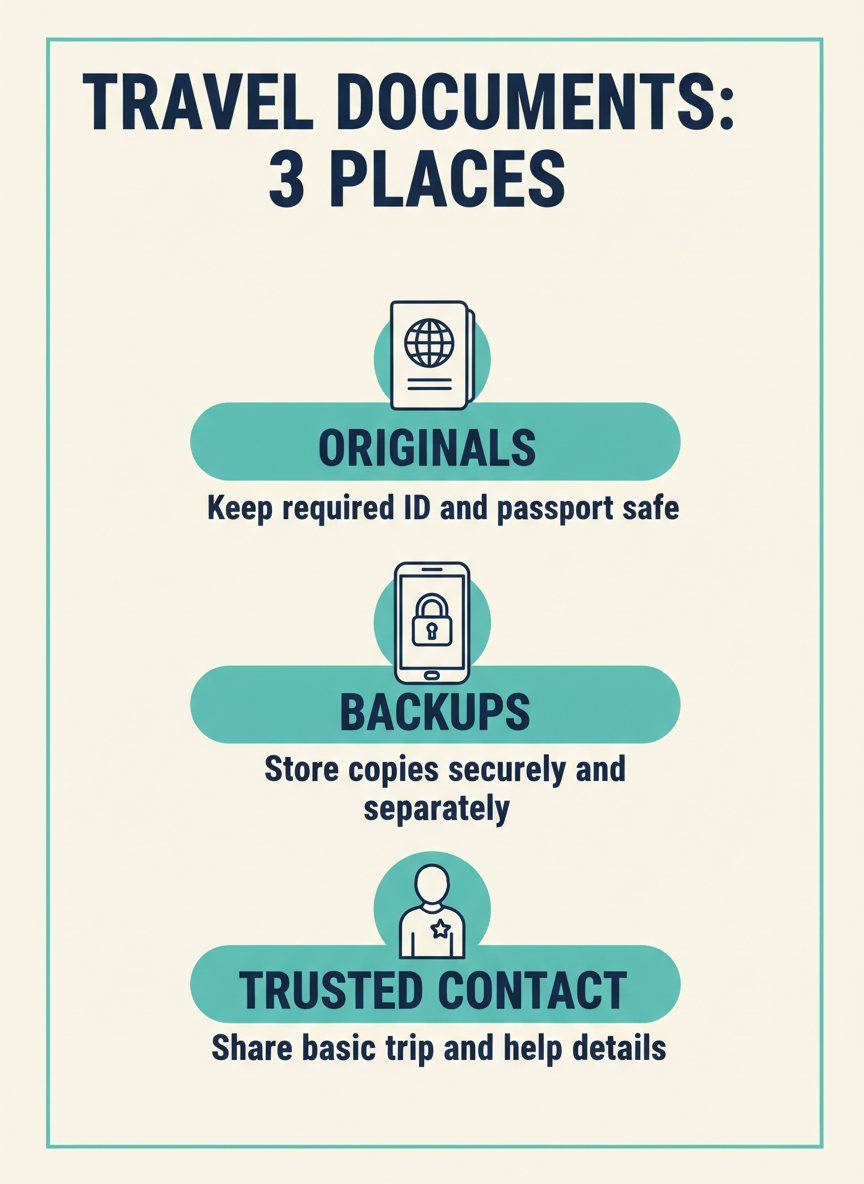
3. Separate originals from copies
The U.S. Department of State advises international travelers to make copies of essential travel documents, keep a set separately from originals, and provide a set to a trusted person. Copies can help during loss or theft, but they are generally not replacements for original passports or required travel credentials. Read the State Department’s International Travel Checklist.
- Keep the physical passport or required ID in a secure location you can access at the checkpoint.
- Store a limited paper backup set separately from the originals if useful.
- If creating digital copies, use device protection and a trusted secure storage solution. Avoid public links, unprotected shared albums or unsecured email drafts.
- Share necessary emergency information only with a trusted contact who understands why it is being held.
- Remove unnecessary copies after the trip in line with your personal security practices.
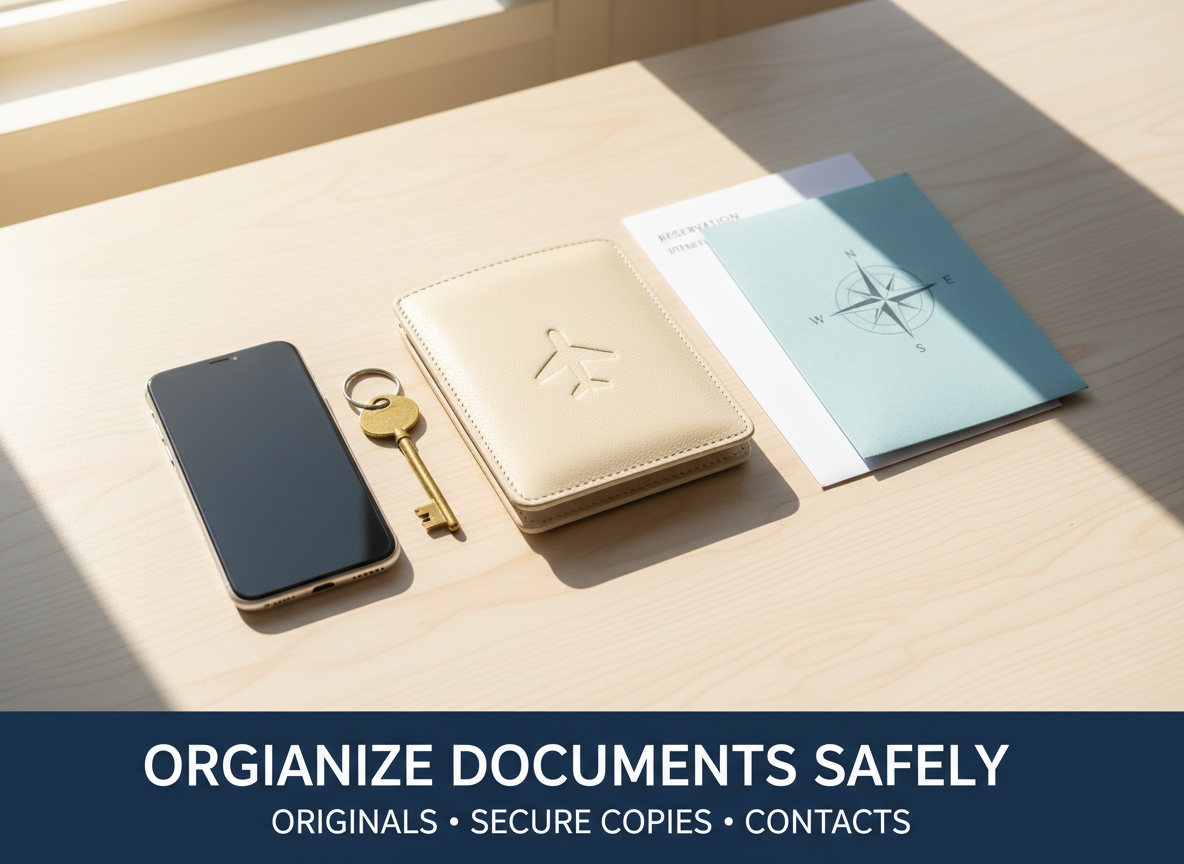
A neat document folder can save time without exposing private details in a public place.
4. Use an offline-accessible itinerary
Airport Wi-Fi, international mobile roaming or a weak signal can make online-only bookings awkward to retrieve. Save essential confirmation details in a way you can access on your phone without a connection, and ensure your device is charged. Follow your provider’s requirements for current boarding passes, barcodes and itinerary changes.
- Download the relevant travel apps and sign in before departure.
- Save the booking confirmation numbers, schedules, address and contact phone numbers.
- Check that the most recent version of a boarding pass is stored; a screenshot may not always be accepted if a rotating or changing code is required.
- Store the terminal, gate or platform as a checkable detail, not a permanent fact; these can change.
- Take a charging cable or suitable power bank in accordance with applicable airline battery rules.
5. Make a secure emergency contact plan
Give a trusted person the broad itinerary, destination, dates, hotel or ship contact, and a way to reach your travel party. You generally do not need to send credit-card numbers or your full identity record to everyone you know. Decide who should have access to sensitive backup documents, if anyone.
For international trips, the U.S. State Department’s Smart Traveler Enrollment Program (STEP) can provide embassy or consulate alerts and may help officials contact you or an emergency contact in a crisis. Enrollment is optional and does not substitute for travel insurance or responsible itinerary planning. See the State Department travel checklist for details.
Visual reminder: keep these three information sets separate
6. Check names and deadlines before paying or departing
A small typo can create a large travel-day problem. Review the exact passenger or guest name for each booking, and ensure the document type and expiration are suitable. Some ticket name correction policies may include charges or restrictions.
- Check the spelling of every traveler name on airline tickets and travel documents.
- Record any final-payment dates for travel packages or cruises.
- Confirm a hotel cancellation deadline in the hotel’s local time zone.
- Verify changes to flight schedules and entry requirements close to departure.
- If the departure date is approaching and a required document is missing, contact the responsible provider or issuing authority immediately rather than depending on unofficial shortcuts.
7. Watch for document-related scams
Search results, texts and unsolicited emails may claim that your boarding pass, ESTA/visa, passport or reservation must be urgently revalidated through an unfamiliar payment link. Verify requests directly through the official government website or the provider you booked with. Do not submit passport scans or card data to an unverified online form.
For U.S. federal travel information, use the official agency websites linked below. Be particularly cautious with websites that resemble government domains but charge unexpected ‘processing fees’ for basic informational services.
8. Build your final one-page departure checklist
- □ Acceptable original ID or passport checked and packed.
- □ Destination and transit entry documentation verified, if applicable.
- □ Passenger names and travel dates match bookings.
- □ Airline or transport confirmations accessible offline.
- □ Accommodation address, contact and check-in details saved.
- □ Emergency contact and relevant medical or accessibility arrangements organized privately.
- □ Protected document backups stored separately from originals.
- □ Latest schedules and any additional entry requirements checked just before departure.
Frequently asked questions
Will a normal driver’s license still work for domestic U.S. flights?
A standard state-issued license that is not REAL ID compliant is no longer accepted as a qualifying standalone credential at TSA checkpoints. You can use a REAL ID-compliant license or another acceptable identification such as a passport. Always review TSA’s current list.
Can I use a photo of my passport instead of my passport?
No—not as a general substitute when an authority requires the original. A protected scan or photo is a recovery aid and information backup. Keep the required original documentation for boarding and border processes.
Should I put all travel documents in one email thread?
An email folder is convenient for low-sensitivity reservations, but it is not ideal to expose every identity detail in a single unprotected location. Use limited, protected backups and avoid sharing full documents unless necessary.
Do all international destinations require six months of passport validity?
No. Requirements differ by destination, passport nationality, immigration status and transit point. Some destinations require extra remaining validity while others do not. Verify the official guidance for your itinerary.
Government sources and editorial review
- TSA — Acceptable Identification at the TSA Checkpoint (REAL ID and alternative identification).
- U.S. Department of State — International Travel Checklist (documents, backups and destination preparation).
- U.S. Department of State — After You Get Your New Passport (passport expiration and travel preparation).
- U.S. Department of State — International Travel Checklist (optional government tools for eligible international travelers).
Reviewed October 9, 2026. This checklist provides general U.S.-focused travel information. Entry requirements, ID rules and airline procedures can change. Confirm the official rules for your route and traveler circumstances.
Disclosure: We do not process identity documents, offer visa services or request sensitive traveler information through this article. All examples are informational and do not reflect personal travel experience.
Related travel guides
- Complete Travel Planning Checklist — a useful companion guide.
- Request Airport Assistance — a useful companion guide.
- First-Time Cruise Planning — a useful companion guide.
Explore all travel guides or follow our five-step starting plan.

