

YOUR TRAVEL PHONE, READY AFTER 50
Roaming · eSIM · Offline maps · Backup
Quick answer: Before an international trip, decide how your phone will connect abroad, check roaming charges, download the maps and documents you need, save trusted emergency contacts, and test what still works in airplane mode. You do not have to become a technology expert: one 20-minute rehearsal at home can prevent much more confusion at an unfamiliar airport.
Travel Ready After 50 believes confidence comes from a clear, repeatable plan—not an assumption that age determines digital ability. This article is designed for capable travelers who want their mobile phone to help rather than distract them. It does not recommend a paid eSIM brand or suggest that any one carrier works everywhere.
Find the setup you need
Three ways to use your phone overseas
Option A: Keep your home carrier’s international plan
This is often the simplest route if your carrier offers a suitable travel package and you want to keep your usual number. Confirm the covered destination countries, daily pass trigger conditions, voice/text/data allowances, speed changes and charges for receiving calls or voicemail. A plan advertised as ‘unlimited’ at home may be very different outside your country.
Option B: Use a travel eSIM or local SIM
An eSIM is a digital subscriber identity that some smartphones can install without swapping a physical SIM card. It can be useful for data abroad, but you must verify the specific phone model supports eSIM, is eligible for another carrier, and that the travel service covers your destination. Data-only plans may not give you a normal local phone number or standard calls and texts. Keeping a primary line active for verification texts can also create charges, so confirm the two-line settings with your providers.
Option C: Rely mainly on approved Wi-Fi and offline preparations
For short trips you might not need continuous mobile data, but Wi-Fi availability and reliability vary. Public networks can be impersonated and may be unsuitable for sensitive transactions. Save essential directions and contact information in more than one safe form. Wi-Fi-only travel should be a deliberate plan with a known fallback, not the accidental result of losing connectivity.
The U.S. Federal Communications Commission’s wireless travel tip sheet explains why travelers should verify phone compatibility and roaming charges with their provider before leaving. Its examples are older, so use the FCC for the general principle and today’s carrier terms for actual prices.
Six setup steps to complete before departure
1. Check device compatibility and your real international charges
Open your phone settings, identify the model and software version, and contact your current carrier. Ask: Does my phone work on networks in my destination? Is it unlocked for an alternative SIM/eSIM? What triggers roaming fees? Will SMS verification arrive? Is calling emergency services possible without a travel data plan? Ask for the answers in writing or save the official support page.
2. Choose and test your data plan before travel day
If using an eSIM, buy from a legitimate provider whose activation process you understand. Some travel plans start when installed, while others activate when the phone first connects to a destination network. Read the provider’s actual validity, refund, hotspot and compatibility conditions. Install or prepare the plan with reliable Wi-Fi when appropriate, but avoid activating a short-duration package too early. Make a note of how to switch data lines and turn roaming on or off.
3. Download at least one offline map and test it properly
Google’s official offline-map instructions explain how to select a map area in the Maps app and download it before going offline. Save the destination city and the airport-to-hotel area when supported. Not all countries allow offline map downloads, and map regions may need updating before they expire. Start the download while connected to reliable Wi-Fi.
Important limit: Google’s help page says walking, cycling and public-transit directions are unavailable offline. Offline driving navigation may work when the entire route is within the downloaded area, but live traffic and alternate routes are unavailable. Thus an offline map image can help you recognize streets without guaranteeing a detailed walking or subway route. Save a separate screenshot or written instructions for complex transit.

4. Store the right details in two accessible places
Keep the hotel name, exact street address, check-in telephone number, airline booking reference, travel coverage contact and official local emergency numbers available without an internet search. A secure device note or offline file and a small paper card are reasonable backups. Do not store an entire photo of your bank card with its security code in an unprotected notes application. If you store passport details digitally, use an appropriate protected method and follow the document issuer’s guidance.
5. Prepare power, readable display and a communication backup
Bring the correct charging cable, a compliant power adapter for the destination and a charged portable battery only if your airline permits it in the required baggage location. Set text size and screen brightness to suit your preferences, not your age. Configure an emergency contact and an agreed check-in method with someone you trust. If you travel with a companion, decide what to do if one person’s phone stops working.
6. Rehearse the first 15 minutes after landing
While still at home, turn on airplane mode and verify you can open the offline address, itinerary and saved map. Turn connectivity back on and check you understand how to select the intended data line. Imagine standing at baggage claim: can you show the hotel address to a driver, confirm the correct transit stop, and call the airline or hotel if plans change? Fix any confusing step now rather than in an arrivals queue.
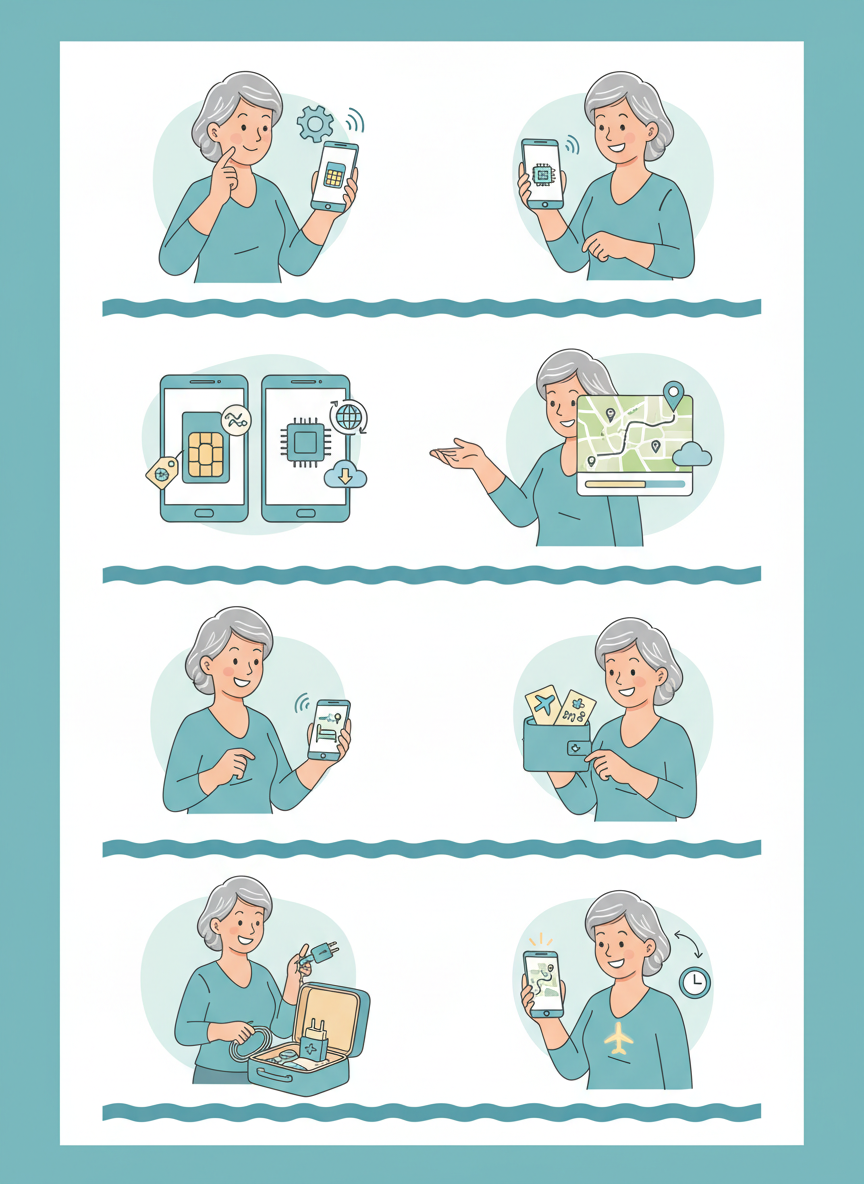
A useful distinction: downloaded does not mean fully functional offline
- Downloaded maps: you can usually open a supported downloaded map region without network coverage; some route functions still require data.
- Walking or subway directions: Google Maps specifically warns these routes do not work offline. Save plain-language directions or screen captures in advance.
- Airline boarding passes: some are available in the airline app or phone wallet offline, but airport verification and last-minute gate updates need a current airline source.
- Hotel contact card: a saved address and telephone number can be read without internet; making an actual call requires compatible voice service.
- Messaging apps: require an active connection to send messages, unless a particular feature expressly supports another method.
- Emergency calls: network availability, compatible hardware, destination laws and local numbers matter. Do not assume a travel eSIM includes ordinary voice calling.
Simple phone privacy rules that matter abroad
Avoid tapping login links from unexpected ‘airline support’ texts or messages about an urgent unpaid fee. The Federal Trade Commission warns about imitation travel websites that collect personal and payment data. Navigate from an independently verified airline or hotel app instead of an unsolicited message. Do not share a one-time verification code with a supposed customer-service agent.
Use your device’s lock, backup and recovery features. Keep essential apps updated before travel when you have familiar access to passwords and authentication. If your main phone is lost, contact your mobile carrier and account providers using trusted contact methods. Our travel documents guide explains how to organize a minimal paper backup.
A two-minute travel-phone test card
- Can I open my destination hotel address without data?
- Do I know the total roaming cost and which SIM line is used for mobile data?
- Did I save one alternate hotel or transportation contact?
- Can I show a backup copy of critical reservations if the airline app will not load?
- Does my companion or trusted contact know the simplest way to reach me?
- Do I understand how to disable mobile data roaming on the home line if needed?
Frequently asked questions
Do I need an eSIM to travel internationally after 50?
No. Age does not dictate a connectivity product. A suitable home-carrier roaming plan, a compatible local SIM/eSIM, or a carefully planned offline-and-Wi-Fi approach may all work. Compare the current charges and requirements.
Can I use Google Maps to walk around offline?
You can view supported saved map areas, but Google’s official instructions say offline walking, cycling and public-transit directions are unavailable. Keep separate instructions for your most important route.
Should I leave both phone lines active?
That depends on your need for calls, texts and verification and the provider’s fees. Turning on a line can have billing implications. Follow official device and carrier instructions for your particular setup.
Is a screenshot of a boarding pass always accepted?
No blanket guarantee applies. Airline and airport requirements vary, some passes use dynamic codes, and live flight information can change. Use approved boarding-pass delivery methods and keep the official booking reference.
What if I do not want to use an app at all?
A paper hotel card, a printed itinerary, and a verified carrier plan can still be practical. You may need assistance at a counter for some digital-only transactions; ask the provider what alternatives exist before booking.
Official guidance and related reading
- U.S. Federal Communications Commission — Wireless World Travel Made Simple (general roaming checklist; check current rates with your provider).
- Google Maps Help — downloading and using offline maps, including limitations.
- Federal Trade Commission — how to avoid travel website scams.
- Organize travel documents · Solo travel safety plan · Start Here.
Editorial review: October 11, 2026. This independent phone-setup article is not a carrier endorsement or a guarantee of network coverage or costs. Current provider pricing, device settings, map functionality and destination rules must be verified. All imagery is AI-generated illustration; no specific service was independently tested.

